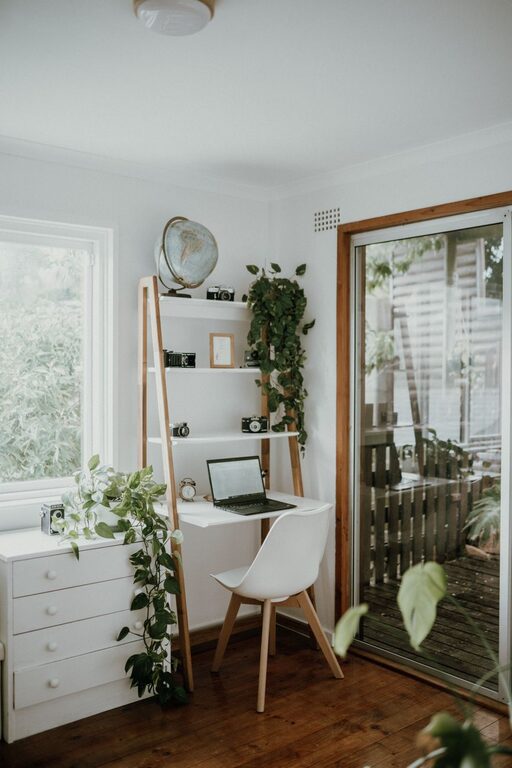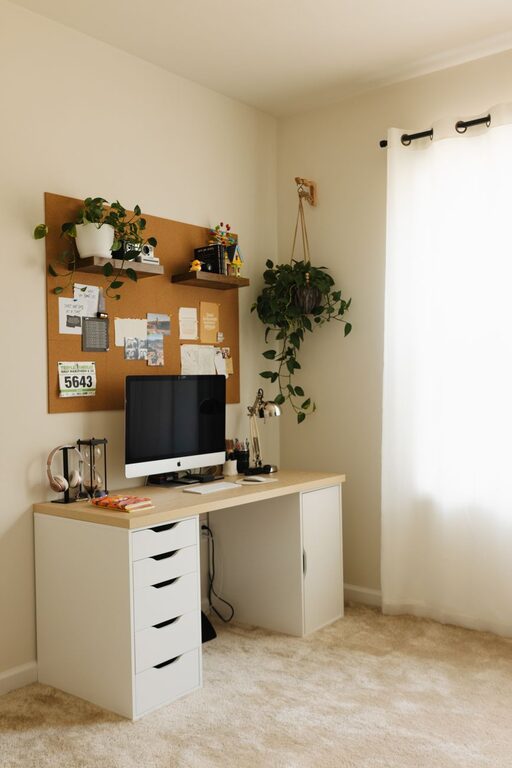
Creating a home office that feels both cozy and productive can be a game-changer, especially as more people work remotely or spend extended hours at home. A thoughtful workspace supports focus, inspires creativity, and promotes well-being. If you’re looking to refresh your office area or set up a new one, here are practical tips to help you design a space that works for you.
Choose the Right Location
Find a Quiet Spot
Select a space in your home that offers privacy and minimal distractions. Whether it’s a spare room, a corner in the living room, or a nook near a window, the location should allow you to focus comfortably.
Consider Natural Light
Natural light can make a significant difference in how you feel and perform during the day. Position your desk near a window if possible, but avoid glare on your computer screen. Use blinds or curtains to control the light as needed.
Invest in Comfortable Furniture
Ergonomic Chair and Desk
Comfort is key for long hours of work. Choose a chair that supports your back and encourages good posture. An adjustable desk allows you to change positions and reduce strain, which can help maintain energy and focus.
Desk Size and Storage
Select a desk that fits your space and meets your work needs. Ample surface area prevents clutter, and built-in storage or nearby shelves can keep essentials organized and within reach.
Personalize Your Space for Comfort and Inspiration
Add Soft Textures
Incorporate soft rugs, cushions, or throws to make your workspace cozier. These elements add warmth and help reduce noise.
Use Colors Wisely
Colors affect mood and productivity. Soft blues and greens tend to be calming, while warm colors like yellow and orange can boost creativity. Choose tones that inspire and relax you.
Include Personal Touches
Display photos, artwork, or plants that make you happy. These personal elements can motivate and create a welcoming atmosphere.
Organize and Declutter
Keep Essentials Close
Organize your supplies so they are easily accessible. Use organizers, trays, or drawer dividers to keep small items tidy.
Maintain a Clean Desk Policy
Try to clear your desk at the end of each day. A clutter-free surface helps reduce stress and prepares you for a fresh start.
Optimize Lighting
Layer Your Lighting
Combine natural light with ambient lighting (like overhead lights) and task lighting (such as desk lamps). Good lighting reduces eye strain and keeps you alert.
Choose the Right Bulbs
Use bulbs that provide bright, white light for work tasks. Adjustable lamps allow you to direct light where it’s most needed.
Manage Technology Efficiently
Invest in Quality Equipment
Reliable computers, keyboards, and monitors can improve your experience and productivity. Consider ergonomic keyboards or mouse setups to avoid discomfort.
Control Cable Clutter
Use cable organizers or clips to keep cords neat and prevent tangling. This not only looks better but also helps avoid accidents.
Incorporate Break Areas
Create a Mini Retreat
If possible, designate a small part of your office for short breaks—a comfy chair or a standing mat. Taking breaks away from your screen supports mental clarity and reduces fatigue.
Use Mindful Elements
Add items like a small water fountain, an essential oil diffuser, or inspirational quotes to create a calming environment for breaks.
Manage Noise Levels
Use Noise-Canceling Solutions
If your home is noisy, consider noise-canceling headphones or white noise machines to block distractions.
Soundproof Your Space
Adding soft materials like curtains, rugs, or acoustic panels can help absorb sound and create a quieter environment.
Maintain Good Air Quality
Ventilation
Make sure your workspace is well-ventilated. Fresh air helps maintain concentration and overall health.
Add Indoor Plants
Plants can improve air quality and add a natural touch. Choose low-maintenance varieties like pothos, snake plants, or succulents.
Establish a Routine
Set Work Hours
Create a schedule to define your workday. Sticking to regular hours helps maintain work-life balance.
Plan Your Day
Use planners or digital tools to structure tasks and breaks. Knowing your priorities keeps your workflow smooth.
—
Designing a cozy and productive home office is all about balancing comfort and functionality. By tailoring your workspace to your preferences and needs, you can create an environment that supports your best work. Remember, small changes can lead to big improvements in how you feel and perform every day. Happy decorating!